Top free project management tools
Published: 18 Oct 2025
Do you want to manage your projects without any stress or cost? Don’t worry! The top free project management tools can help you do it. These tools help you plan your work, make to-do lists, and finish your tasks on time. You can use them even if you are a beginner, a student, or part of a small team. In this article, you will learn about the top 10 free project management tools that make your work easy and simple every day.
What are the Top 10 Free Project Management Tools?
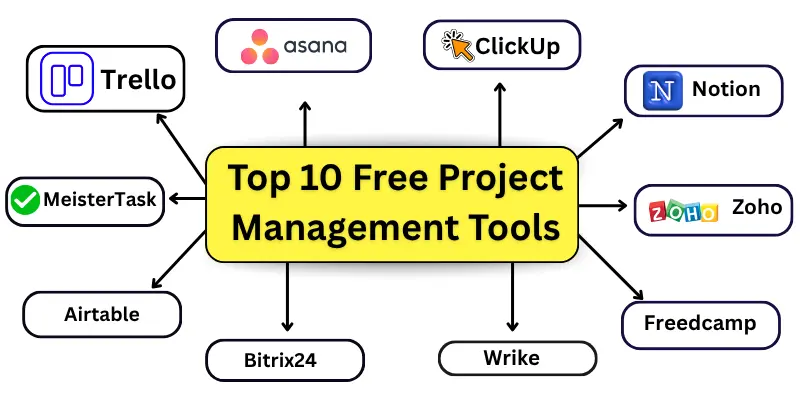
There are many free tools that can help you plan and manage your projects easily. These tools are simple to use and great for beginners, students, and small teams. Here are the top 10 free project management tools:
- Trello
- Asana
- ClickUp
- Notion
- Zoho Projects
- Freedcamp
- MeisterTask
- Bitrix24
- Wrike
- Airtable
1. Trello
Trello is a simple tool that helps you plan and organize your tasks visually. You can use boards, lists, and cards to track work. Move tasks from one list to another easily with drag and drop. You can add due dates, checklists, files, and team members. Trello is great for people who like a clear and colorful way to manage work.
2. Asana
Asana helps teams manage tasks and projects step by step. You can make tasks, set deadlines, and assign them to people. See your work in lists, boards, or calendars. Add comments, files, and notes inside tasks. Asana is perfect for teams that want simple ways to stay organized.
3. ClickUp
ClickUp is an all-in-one tool to plan tasks, goals, and projects. You can use lists, boards, or calendars to track work. Set priorities like High, Normal, or Low. Add reminders, comments, and time tracking to tasks. ClickUp is ideal for people who want many useful features in one free tool.
4. Notion
Notion works like a digital notebook for your projects. You can create pages for tasks, notes, and plans. Use tables, checklists, calendars, and boards to see your work. Share files and organize information neatly. Notion is best for people who like a flexible workspace for all their tasks.
5. Zoho Projects
Zoho Projects helps small teams manage projects online. Create tasks, assign them, and set deadlines. Track progress easily and see project timelines with Gantt charts. Generate reports to check work status. Zoho Projects is perfect for teams who want clear planning and tracking.
6. Freedcamp
Freedcamp is a beginner-friendly tool for managing tasks and teamwork. You can make to-do lists, calendars, and discussions. Upload files and create project milestones. Its simple dashboard makes navigation easy. Freedcamp is great for small teams and personal projects.
7. Bitrix24
Bitrix24 combines project management with team communication. You can create tasks, chat with teammates, make video calls, and share files. It is also helpful for creating separate workspaces for different projects. It also has a CRM to track clients and sales. Bitrix24 is good for teams who want work and communication in one place.
8. MeisterTask
MeisterTask is a visual tool to organize your projects. You can create boards, lists, and tasks easily. Set due dates, add checklists, and attach files. Invite team members and share updates quickly. MeisterTask is perfect for teams and individuals who like simple visual task tracking.
9. Wrike
Wrike helps teams plan and track work clearly. Create tasks, set deadlines, and assign them to team members. Use lists, boards, or calendars to see progress. Add comments and attach files for each task. Wrike is ideal for teams who want clear tracking and organized work.
10. Airtable
Airtable combines spreadsheets with project planning. You can create tables, add tasks, and track progress. Attach files, add notes, and set deadlines for tasks. Use grid, calendar, or Kanban views to organize work. Airtable is best for people who like a flexible and visual planning tool.
Comparison of Top Free Project Management Tools
Here is a quick comparison of the top free project management tools to help you choose the best one for your needs.
| Tool Name | Free Users | Views Offered | Unique Strong Feature |
| Trello | Unlimited | Board, List, Calendar | Drag & drop tasks easily |
| Asana | 15 users | List, Board, Calendar | Multiple views for task tracking |
| ClickUp | Unlimited | List, Board, Calendar | Time tracking and priorities |
| Notion | Unlimited | Table, Kanban, Calendar | Flexible all-in-one workspace |
| Zoho Projects | 3 users | List, Gantt, Calendar | Gantt charts and reports |
| Freedcamp | Unlimited | List, Calendar, Kanban | Simple dashboard for beginners |
| Bitrix24 | 12 users | List, Kanban, Gantt | CRM integration for small businesses |
| MeisterTask | 3 users | Kanban, List, Timeline | Visual boards for task management |
| Wrike | 5 users | List, Board, Calendar | Real-time updates and tracking |
Criteria for Choosing Free Project Management Tools
Choosing the right free project management tool is very important. It helps you work easily and finish projects on time.
Here are the main criteria:
- Easy to use for beginners
- Task management features (lists, boards, deadlines)
- Collaboration features (team sharing, comments, chat)
- Different views (list, board, calendar, Gantt)
- Storage limits and file sharing options
- Integration with other apps and tools
- Mobile and desktop access
- Security and data protection
Which Free Project Management Tool Is Best for You?
Choosing the right tool depends on your work and team. Different tools suit different people and projects.
Use Cases:
- Solo / Freelancer:
Trello, Notion, or Airtable are good. They help you manage tasks and projects alone. - Small Teams (2–5 members):
Asana, ClickUp, or Teamwork work well. You can assign tasks and see progress easily. - Remote / Distributed Teams:
Wrike, Freedcamp, or Bitrix24 are helpful. You can talk, share files, and track work easily. - Agile / Scrum Teams:
ClickUp, Trello, or MeisterTask are the best. They let you plan tasks in boards and sprints. - Creative Teams:
Notion, Airtable, or MeisterTask are great. You can organize ideas and projects visually. - Technical / Software Teams:
Zoho Projects, Wrike, or ClickUp are perfect for your needs. They give Gantt charts and detailed tracking.
Challenges & Limitations of Free Tools
Free tools are useful, but they have some limits. It is good to know them before choosing.
| Limitation |
|---|
|
Conclusion
So, guys, it’s time to wrap up! We have covered the top free project management tools in detail. Personally, I like Trello and ClickUp the most because they are simple and have many useful features. Try these tools and see which one works best for you. Start using a free project management tool today to organize your work easily. If you want to learn more about other tools, visit the tools and software guide.
FAQs about the top free project management tools
Here are some beginner-friendly FAQs about project management tools.
Project management tools are software that help you plan and organize your work. They let you create tasks, set deadlines, and track progress. Teams and individuals can use them to finish projects on time and stay organized.
Yes, they are generally safe for daily work. Most tools protect your data with passwords and encryption. For sensitive projects, always check the tool’s security features.
Anyone can use them, such as students, freelancers, and small teams. They are simple and easy to learn. Even beginners can start managing projects quickly.
Yes, most tools have mobile apps for Android and iOS. You can check tasks, add updates, and communicate on the go. This makes it easy to manage projects anytime.

- Be Respectful
- Stay Relevant
- Stay Positive
- True Feedback
- Encourage Discussion
- Avoid Spamming
- No Fake News
- Don't Copy-Paste
- No Personal Attacks
- Be Respectful
- Stay Relevant
- Stay Positive
- True Feedback
- Encourage Discussion
- Avoid Spamming
- No Fake News
- Don't Copy-Paste
- No Personal Attacks
