Best Alternatives Google Drive
Published: 30 Apr 2026
Online file storage has become a basic need for personal and business users. Many people use Google Drive to save documents, photos, videos, and work files. It is easy to use and works on different devices. But with time, many users start looking for better features. Some need stronger privacy. Some want more storage. Others need better sharing and backup options. That is why searches for alternatives to Google Drive are growing fast.
A good cloud storage platform should do more than just save files. It should protect your data, give smooth access, and make file management simple. This is why many users now search for the best Google Drive alternative that offers better security, flexible pricing, and useful tools. Whether for office work or personal use, choosing the right alternative to Drive can improve your overall storage experience.
In this article, we will explain the alternatives Google Drive, compare their features, and help you choose the right cloud storage service for your needs in 2026.
Why Look for Alternatives to Google Drive?
Many users are now exploring better cloud storage options instead of relying only on Google Drive. The main reason is that different users have different needs for storage, privacy, and file management. That is why alternatives are becoming more popular.
- Some users want stronger privacy and more control over their personal data
- Others need additional free storage without upgrading to paid plans
- Many people prefer faster syncing and smoother performance
- Businesses look for better collaboration and team sharing features
- Some users want platforms that are not tied to a Google account
- Advanced security and encryption are also major concerns for many users
Choosing the right alternative can help users get a more secure, flexible, and efficient cloud storage experience.
What to Look for in a Google Drive Alternative?
Choosing the right cloud storage service is not only about space. It is also about how smoothly it works and how safe your data is. A good alternative should make file handling easy and reliable.
- Fast upload and download speed for smooth file access
- Works properly on all devices, like mobile, desktop, and web
- Easy file sharing with control over permissions
- Strong backup and recovery options for deleted files
- Simple and user-friendly interface for beginners
A good choice in these areas makes your cloud storage experience much more efficient and stress-free.
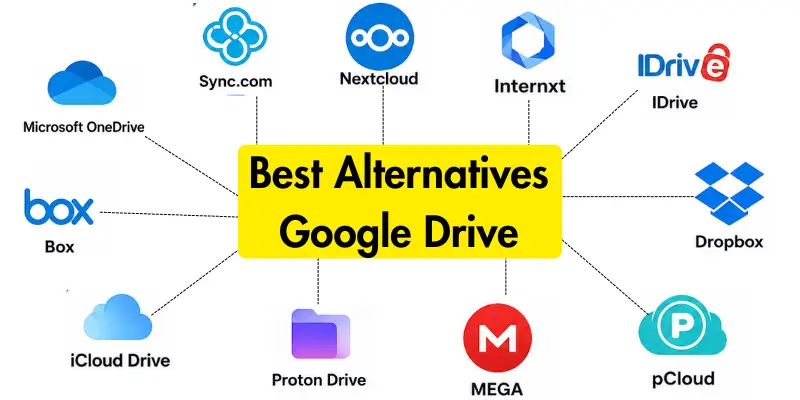
Top 11 Best Google Drive Alternatives
Many users today want more secure, flexible, and feature-rich cloud storage options. That is why they are searching for the best Google Drive alternatives available online.
List of Google Drive Alternatives:
- Microsoft OneDrive
- Dropbox
- Sync.com
- pCloud
- MEGA
- Proton Drive
- Box
- iCloud Drive
- IDrive
- Nextcloud
- Internxt
1. Microsoft OneDrive
Microsoft OneDrive is a cloud storage service that works seamlessly with Windows and Microsoft Office. It is widely used for both personal and professional file management. It allows easy syncing across multiple devices.
Key Features:
- Smooth integration with Microsoft Office apps
- Automatic file syncing across devices
- Easy file sharing and collaboration
- Secure cloud storage system
- Works well on Windows and mobile devices
It is ideal for users who already use Microsoft products and want simple cloud storage with strong productivity tools.
2. Dropbox
Dropbox is one of the most popular cloud storage platforms known for its simplicity and strong sharing features. It is widely used for teamwork and file sharing.
Key Features:
- Easy file sharing system
- Strong team collaboration tools
- Cross-platform support
- Fast syncing speed
- Simple user interface
It is best for users who need smooth collaboration and easy file sharing.
3. Sync.com
Sync.com is a privacy-focused cloud storage platform that offers strong end-to-end encryption. It is designed for users who prioritize data security.
Key Features:
- End-to-end encryption
- Zero-knowledge privacy system
- Secure file sharing
- No data tracking
- Strong privacy protection
It is perfect for users who want maximum security for their personal or business files.
4. pCloud
pCloud is a flexible cloud storage service that offers both subscription and lifetime plans. It is popular for storing large files and media content.
Key Features:
- Lifetime storage option
- Strong file security
- Media file streaming support
- Easy file backup system
- Cross-device access
It is best for long-term storage users and media file management.
5. MEGA
MEGA is known for offering a large amount of free storage and strong encryption. It is widely used by users who need secure, free cloud space.
Key Features:
- Large free storage space
- End-to-end encryption
- Secure file sharing
- Simple interface
- Cross-device access
It is ideal for users who want free and secure cloud storage.
6. Proton Drive
Proton Drive is a privacy-first cloud storage service designed for secure file storage. It focuses on protecting user data completely.
Key Features:
- Zero-access encryption
- Strong privacy protection
- Secure file storage
- No user tracking
- Simple design
It is best for users who need maximum privacy and security.
7. Box
Box is a cloud storage platform mainly designed for businesses and enterprises. It offers advanced collaboration and file management tools.
Key Features:
- Business-focused features
- Advanced file sharing controls
- Team collaboration tools
- Strong security system
- Cloud integration support
It is ideal for companies and professional teams.
8. iCloud Drive
iCloud Drive is Apple’s cloud storage service that works best with Apple devices. It automatically syncs files across iPhones, iPads, and Macs.
Key Features:
- Seamless Apple ecosystem integration
- Automatic file syncing
- Easy backup system
- Secure storage
- Simple access across devices
It is best for Apple users who want smooth file syncing.
9. IDrive
IDrive is a cloud storage service focused on backups that lets users store data from multiple devices under a single account.
Key Features:
- Multi-device backup support
- Strong encryption system
- Easy data recovery
- Scheduled backups
- Affordable plans
It is ideal for users who need reliable backup solutions.
10. Nextcloud
Nextcloud is an open-source cloud storage solution that gives users full control over their data. It can be self-hosted for complete privacy.
Key Features:
- Self-hosted cloud system
- Full data control
- Highly customizable
- Strong privacy options
- Open-source platform
It is best for advanced users who want complete control.
11. Internxt
Internxt is a modern, privacy-focused cloud storage service that uses decentralized technology for secure file storage.
Key Features:
- End-to-end encryption
- Decentralized storage system
- Strong privacy protection
- Simple interface
- Secure file sharing
It is ideal for users who want modern and highly secure cloud storage.
How to Switch from Google Drive to Another Cloud Storage Service
Moving your files from Google Drive to another cloud storage service is simple if you follow the right steps. It helps you keep your data safe and organized during the transfer process.
- First, log in to your Google Drive account and review all your files
- Download the important files to your device or computer for backup
- Create proper folders so your data stays organized during transfer
- Sign up for your chosen Google Drive alternative (e.g., OneDrive, Dropbox).
- Upload your files to the new cloud storage platform step by step
- Use the sync feature if available for faster and automatic transfer
- Double-check that all files have been uploaded successfully
- Once confirmed, you can remove unnecessary files from Google Drive
Following these steps makes the migration process smooth, safe, and stress-free.
Conclusion
Now you have a clear idea of the best alternatives to Google Drive and why so many people are switching to them. Each cloud storage service comes with its own strengths. Some focus more on privacy and security, while others are designed for teamwork, large storage, or simple everyday file use.
The right choice is not the same for everyone. It depends on what you need most: better privacy, easier sharing, or reliable backup for your important files. If security is your priority, tools like Sync.com or Proton Drive are strong options. For work and collaboration, OneDrive and Dropbox work very well.
In the end, the goal is to choose a cloud storage service that fits your lifestyle and makes file management simple, safe, and stress-free in 2026.
If you are also interested in privacy-focused tools, you can explore our guide to the best conservative search engines for more secure browsing.
Common Questions about Google Drive Alternatives
Here are some FAQs related to Google Drive competitors
The best alternative depends on your needs. OneDrive and Dropbox are great for general use and teamwork. For privacy-focused users, Sync.com and Proton Drive are better options.
Yes, Google Drive is still a very good cloud storage service. It is easy to use and works well with Google apps. However, it may not meet all users’ needs for privacy or advanced features.
Sync.com and Proton Drive are considered the best for privacy. They use strong encryption to protect your data. These services ensure that only you can access your files.
Yes, most Google Drive alternatives are safe to use. Trusted services offer strong security and encryption features. However, it is always important to choose a reliable provider.
Yes, you can use multiple cloud storage services at the same time. Many users do this to separate personal and work files. It also helps increase total storage space.
MEGA offers one of the highest free storage plans. It is popular among users who need free space with strong security. However, free plans usually have some limitations.
Yes, switching is quite simple. You can download your files from Google Drive and upload them to another service. Many platforms also offer automatic syncing tools.
Yes, most cloud storage services work on mobile devices. They offer apps for Android and iOS. This makes it easy to access files anytime and anywhere.

- Be Respectful
- Stay Relevant
- Stay Positive
- True Feedback
- Encourage Discussion
- Avoid Spamming
- No Fake News
- Don't Copy-Paste
- No Personal Attacks
- Be Respectful
- Stay Relevant
- Stay Positive
- True Feedback
- Encourage Discussion
- Avoid Spamming
- No Fake News
- Don't Copy-Paste
- No Personal Attacks
